← Back to Apps
Live Android

Auto Care AI

Vehicle maintenance, fuel, expense, trip, reminder, receipt, and AI-assisted records for Android and web.

Auto Care AI keeps your garage, synced records, exports, reminders, receipts, and privacy controls in one focused app.

Vehicles, Odometer, Fill-Up, Service, Expense, Trip.
Receipt, CSV/PDF reports, reminders, settings.
Use your Google account to securely sync your vehicle records, reminders, and reports.
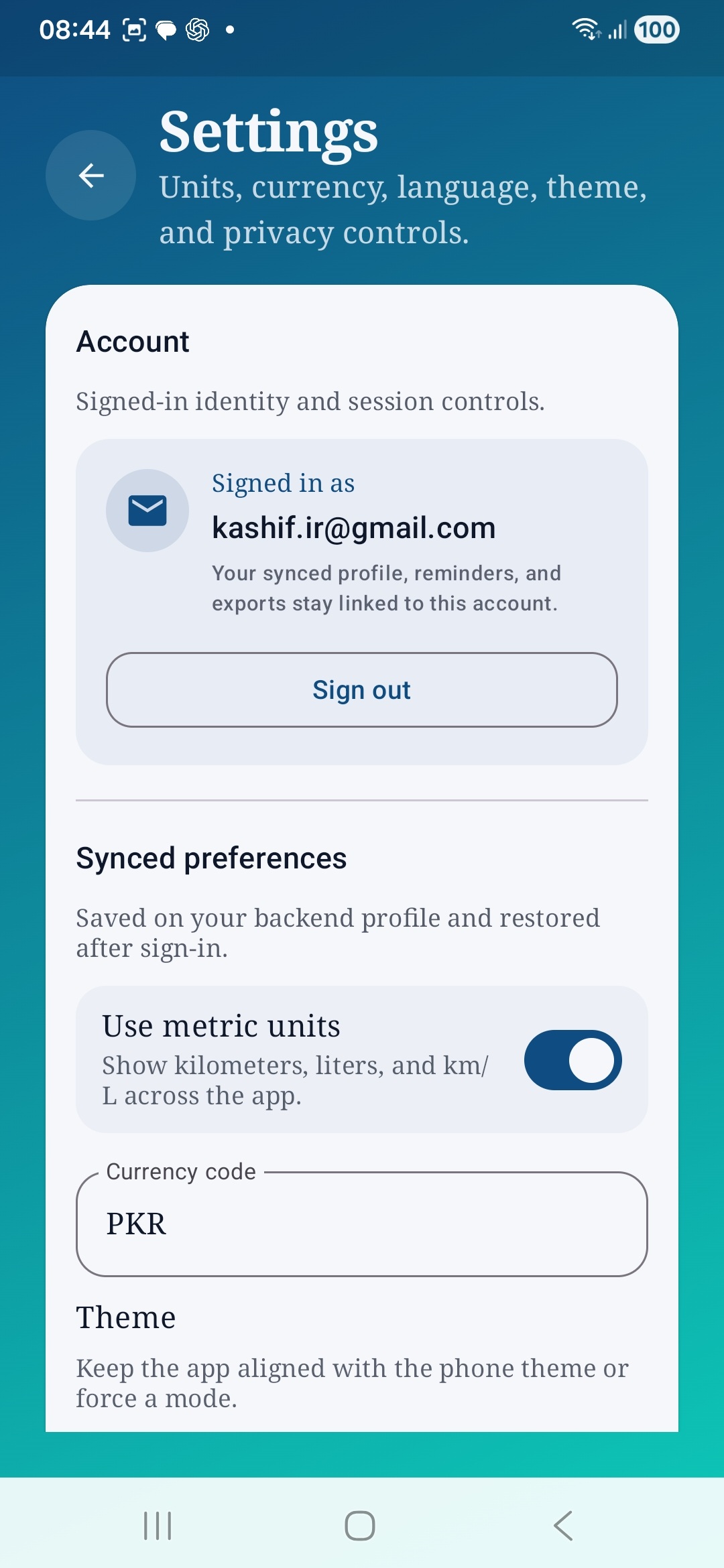
Units, currency, language, theme, and privacy controls.
Get it on Google Play Open Web App
auto & vehicles android offline-first maintenance receipts reports ai
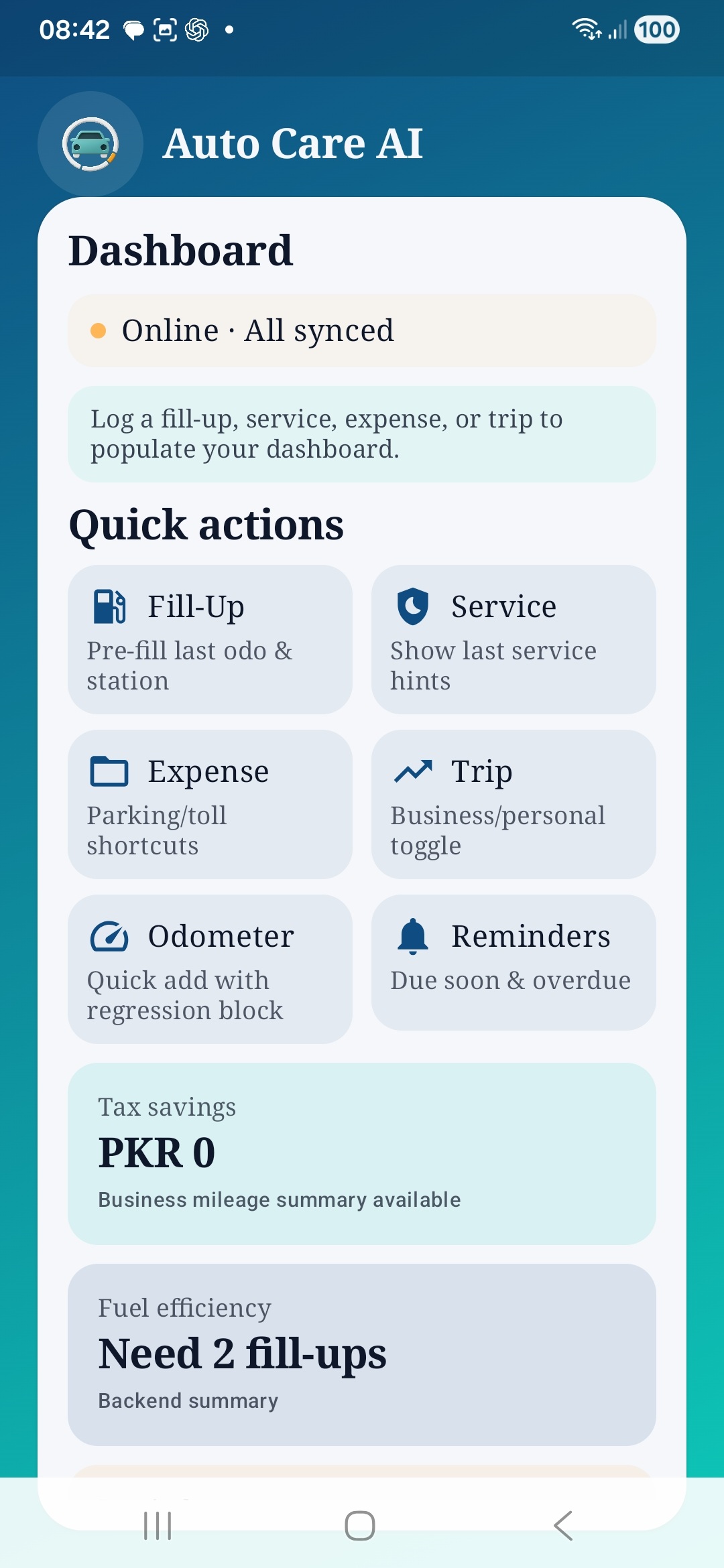
Auto Care AI dashboard showing sync state and quick actions for fill-up, service, expense, trip, odometer, and reminders.

Auto Care AI is an IrshadOS app for keeping vehicle maintenance history, running costs, trip logs, reminders, receipts, and exports in one place.

What The Current Build Covers

  • Sign in with Google or with email and password.
  • Track vehicles, odometer updates, fill-ups, services, expenses, trips, reminders, and reports.
  • Attach receipts to supported records and export filtered CSV or PDF reports.
  • Keep working with cached local state while the browser stays open.

Practical Controls

  • The app surfaces sign out in Settings.
  • Privacy and data controls are linked from Settings.
  • Ads and consent preferences have a dedicated setting, while billing remains intentionally out of scope for this release.

Release Notes For This Page

The screenshot sequence on this page follows the April 1, 2026 capture set from the first dashboard screen through later reporting, AI, and settings screens.
Screen Flow

Ordered from the earliest dashboard screen through reports, AI, and privacy settings.

2026-04-01 capture set

Auto Care AI dashboard showing sync state and quick actions for fill-up, service, expense, trip, odometer, and reminders.
Dashboard with sync status, quick actions, and top-level fuel and tax cards.
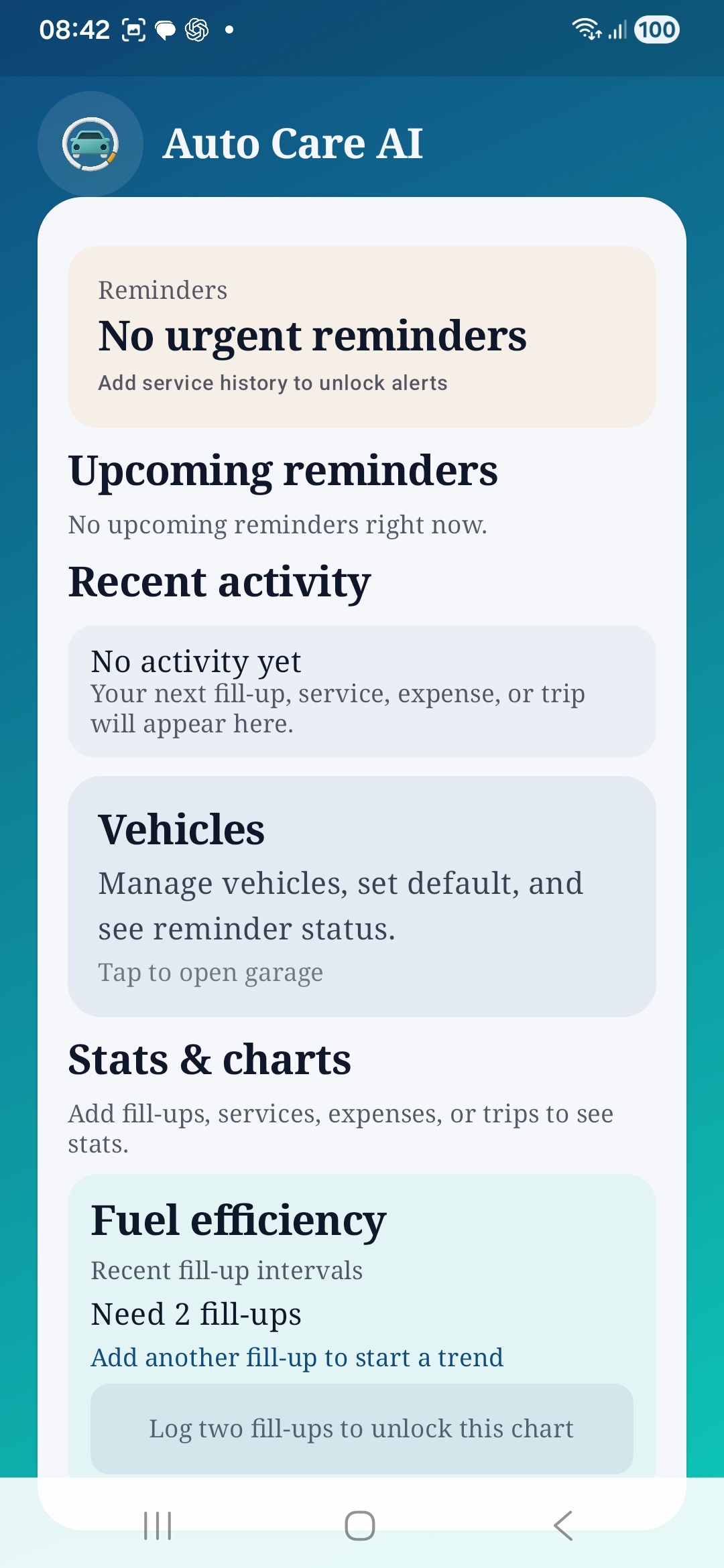
Auto Care AI dashboard sections for reminders, recent activity, vehicles, stats, and fuel efficiency.
Mid-dashboard view for reminders, recent activity, vehicles, and charts.
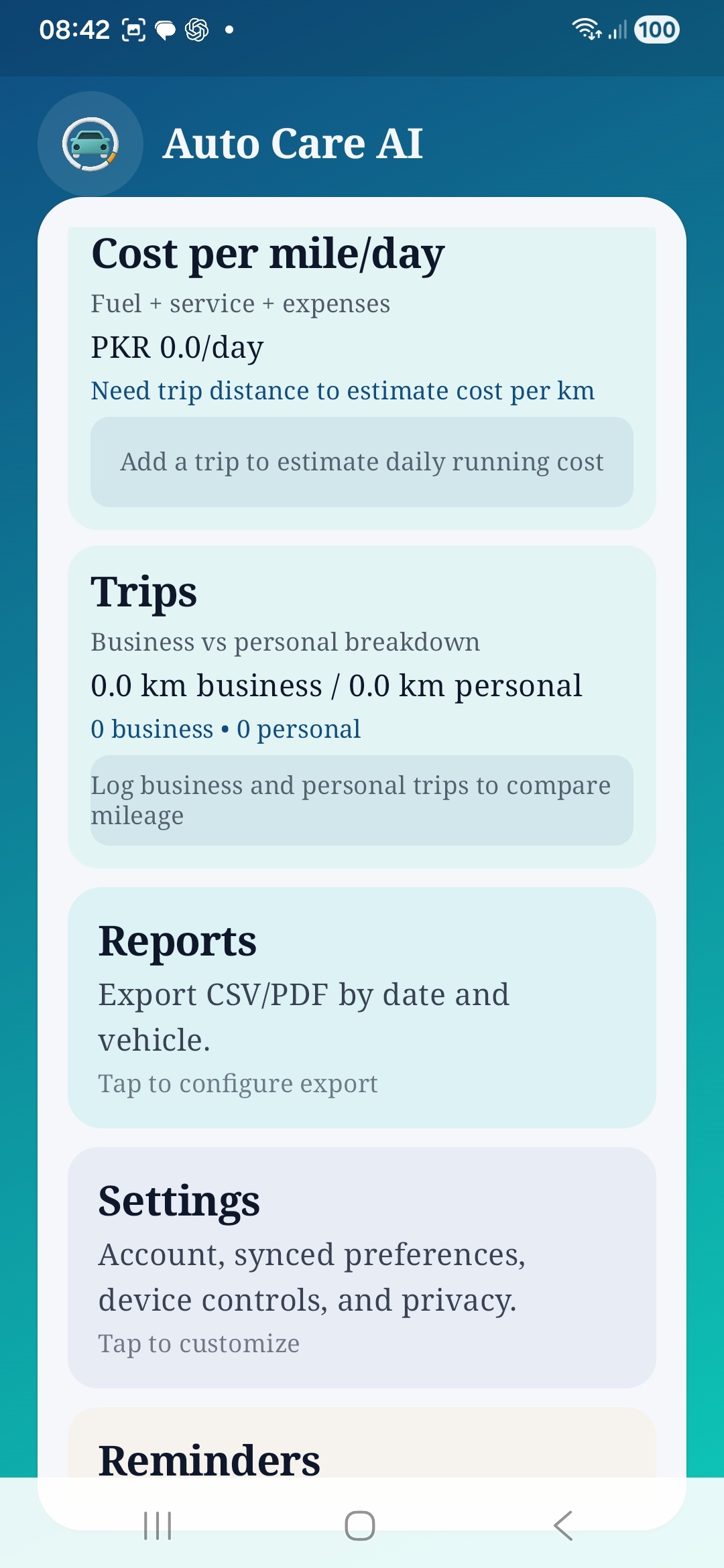
Auto Care AI dashboard sections for cost per mile, trips, reports, settings, and reminders.
Reports, settings, trips, and cost cards stay one tap away from the dashboard.
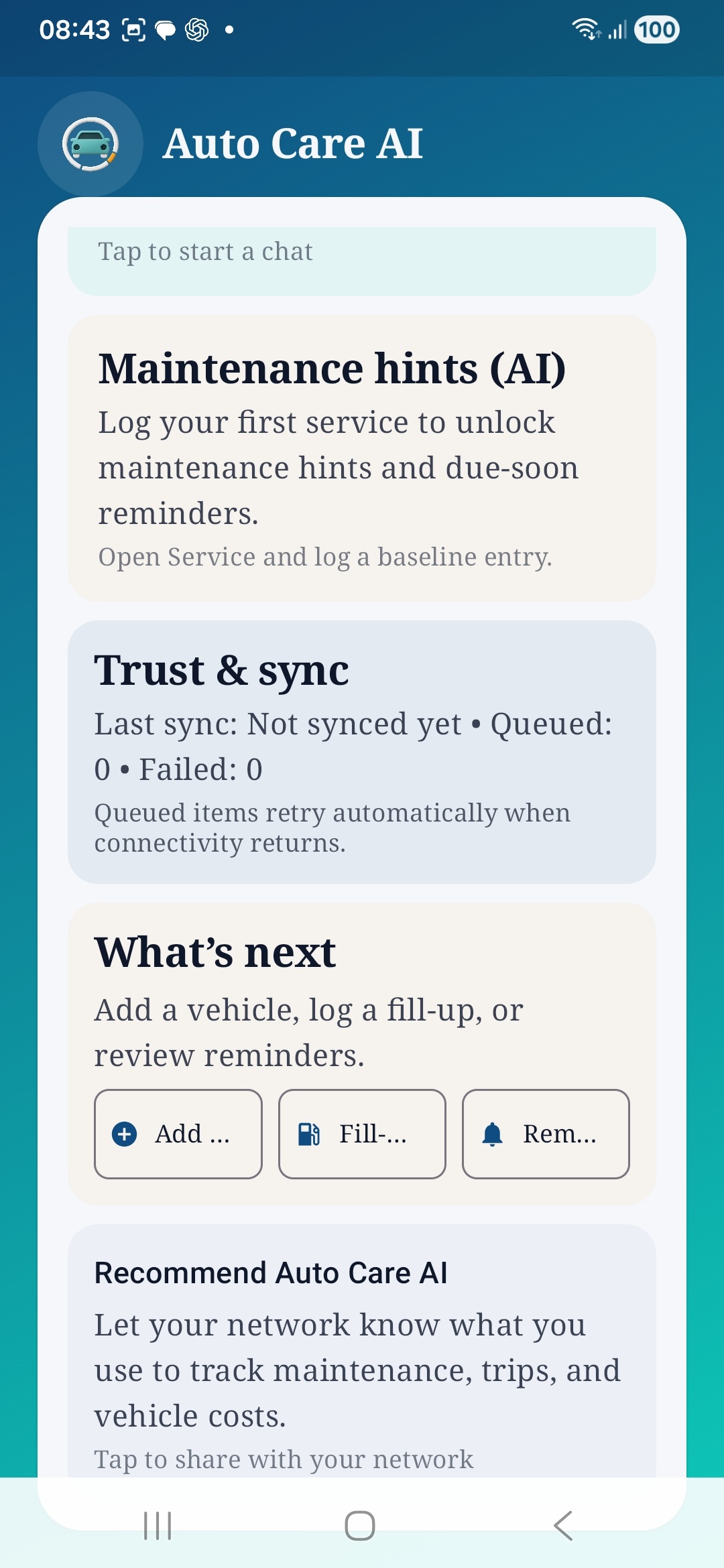
Auto Care AI dashboard showing maintenance hints, trust and sync status, next steps, and the app sharing prompt.
Trust and sync status, AI hints, and next-step shortcuts are surfaced in the later dashboard cards.
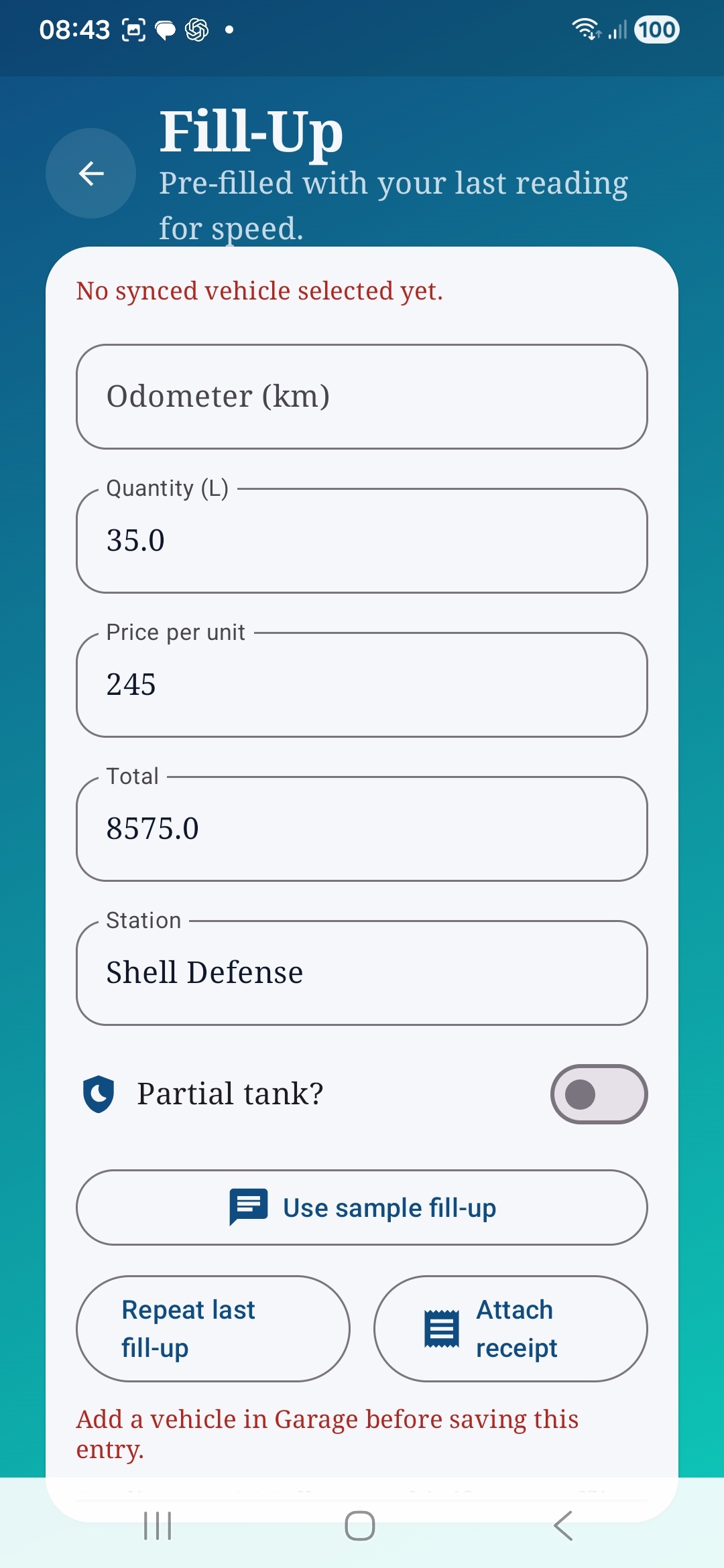
Auto Care AI fill-up form with odometer, quantity, price, station, and receipt actions.
Fill-up form with reusable values, partial-tank support, and receipt attachment.
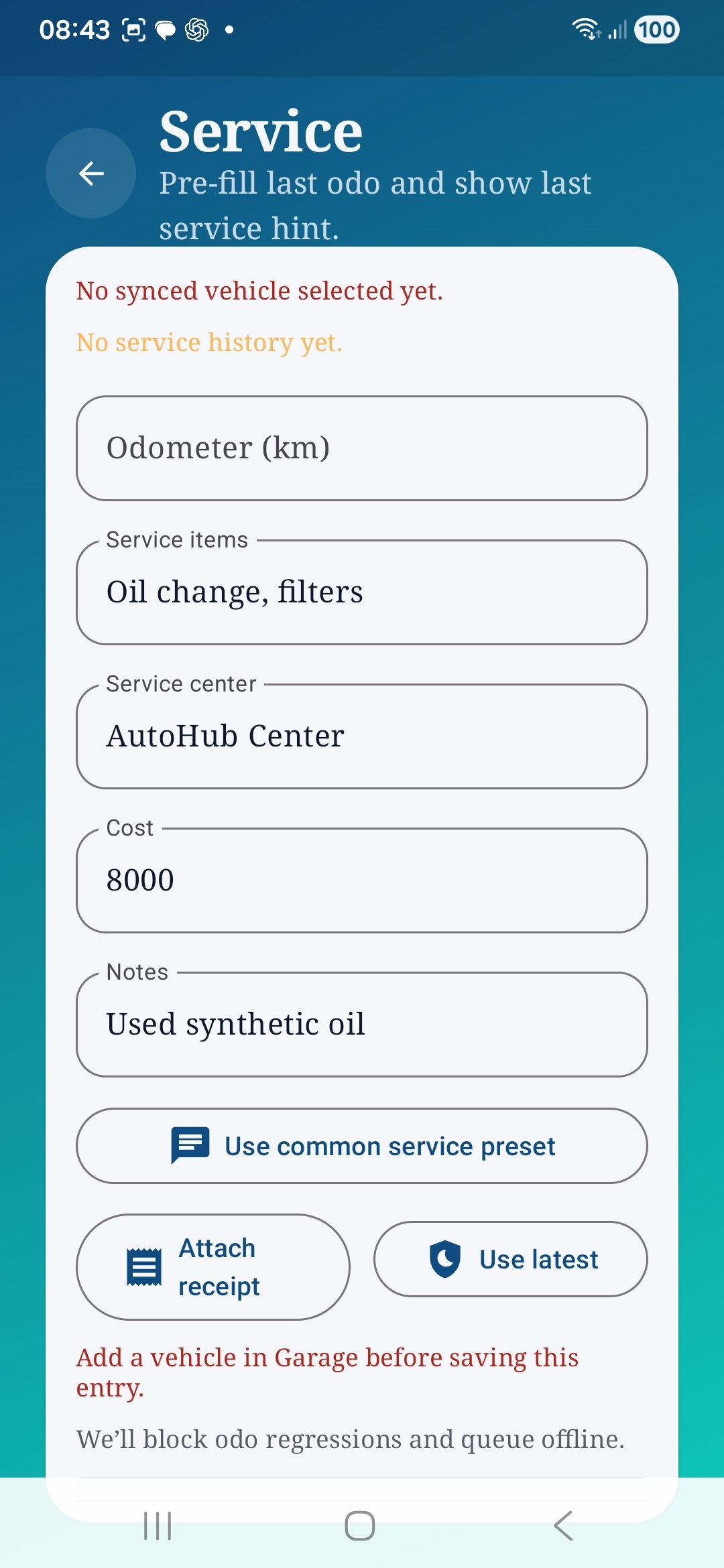
Auto Care AI service form with odometer, service items, service center, cost, notes, and receipt controls.
Service logging keeps maintenance items, cost, notes, and receipts together.
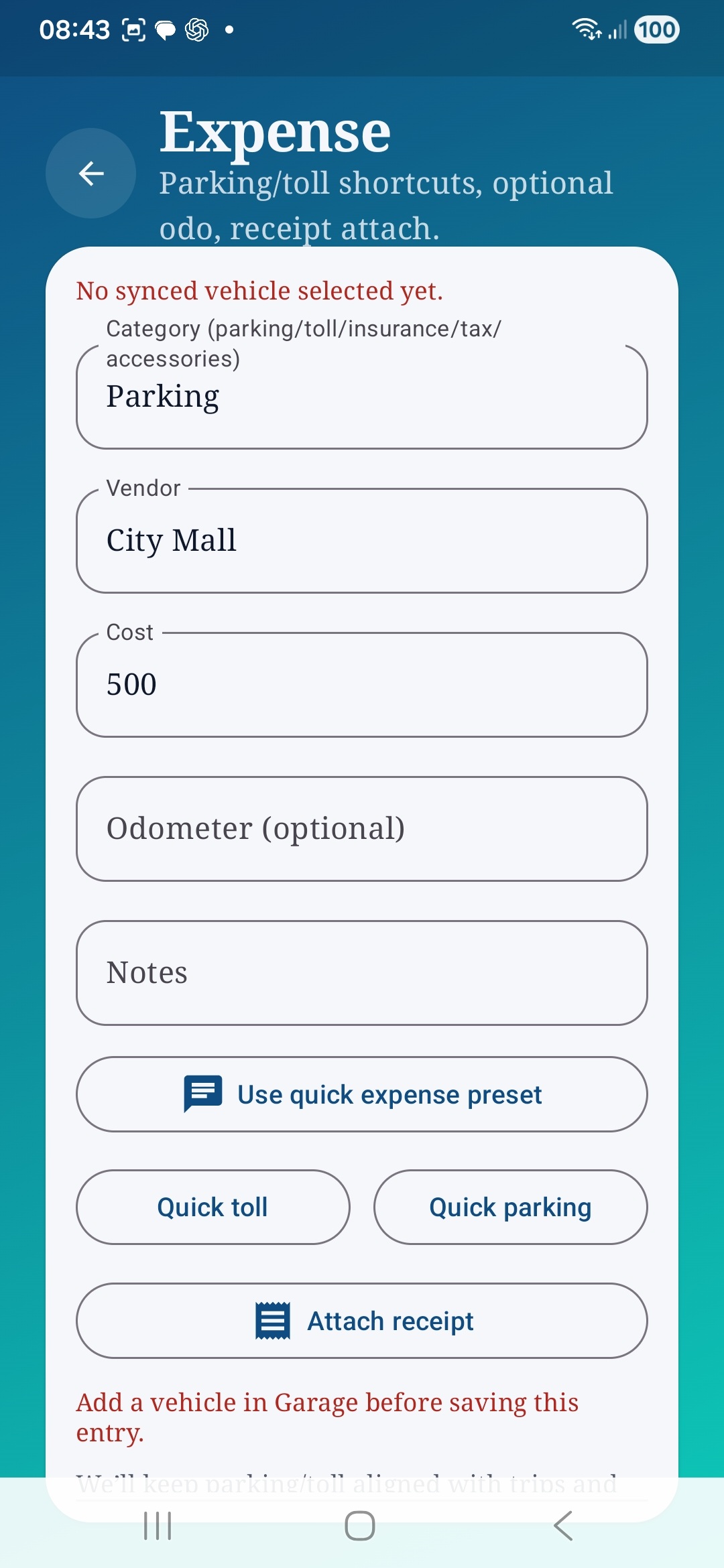
Auto Care AI expense form with category, vendor, cost, notes, quick presets, and receipt attachment.
Expense logging supports parking and toll shortcuts plus optional receipt capture.
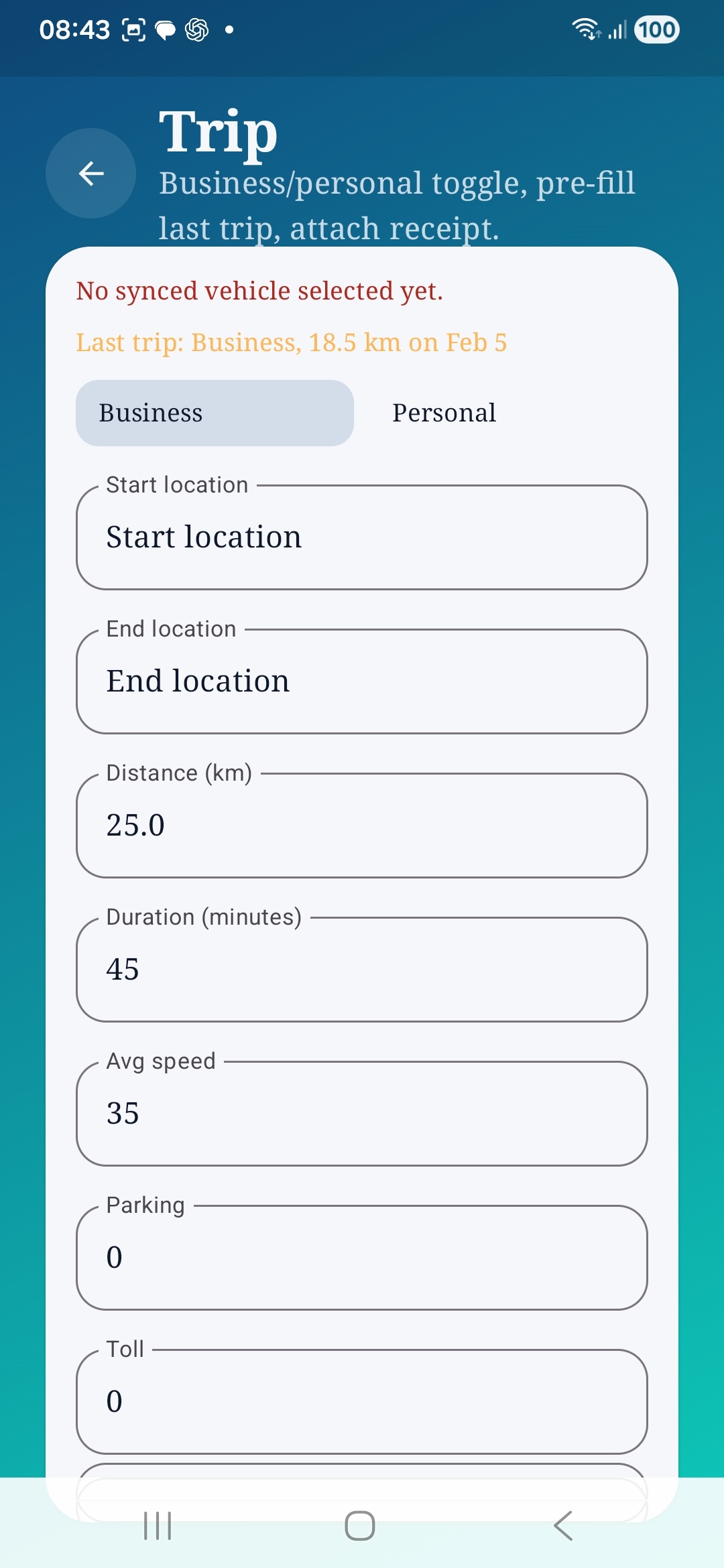
Auto Care AI trip form with business and personal toggle, locations, distance, duration, and speed fields.
Trips separate business and personal mileage for clearer history and tax reporting.
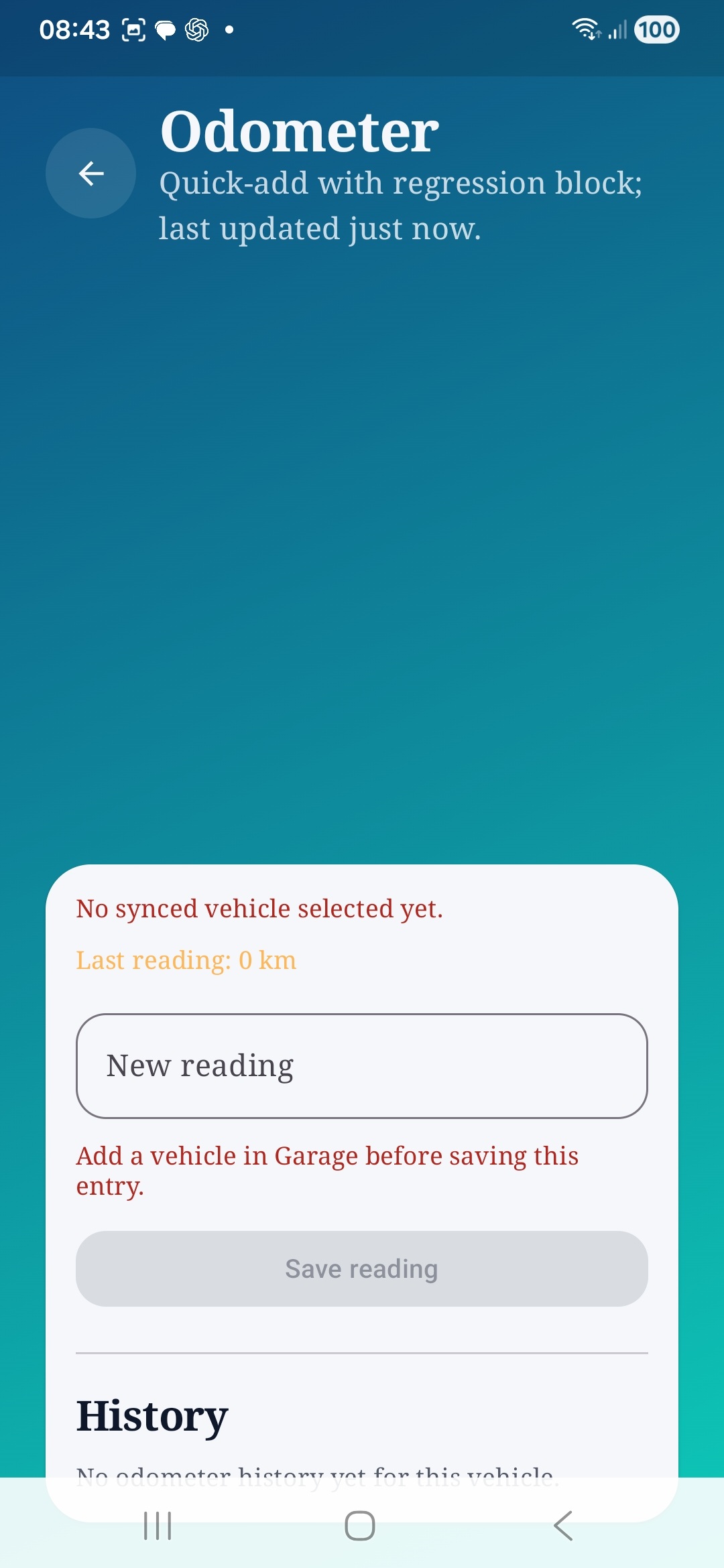
Auto Care AI odometer screen with regression guard and reading history section.
Odometer entries are protected by a regression guard and kept in a simple history view.
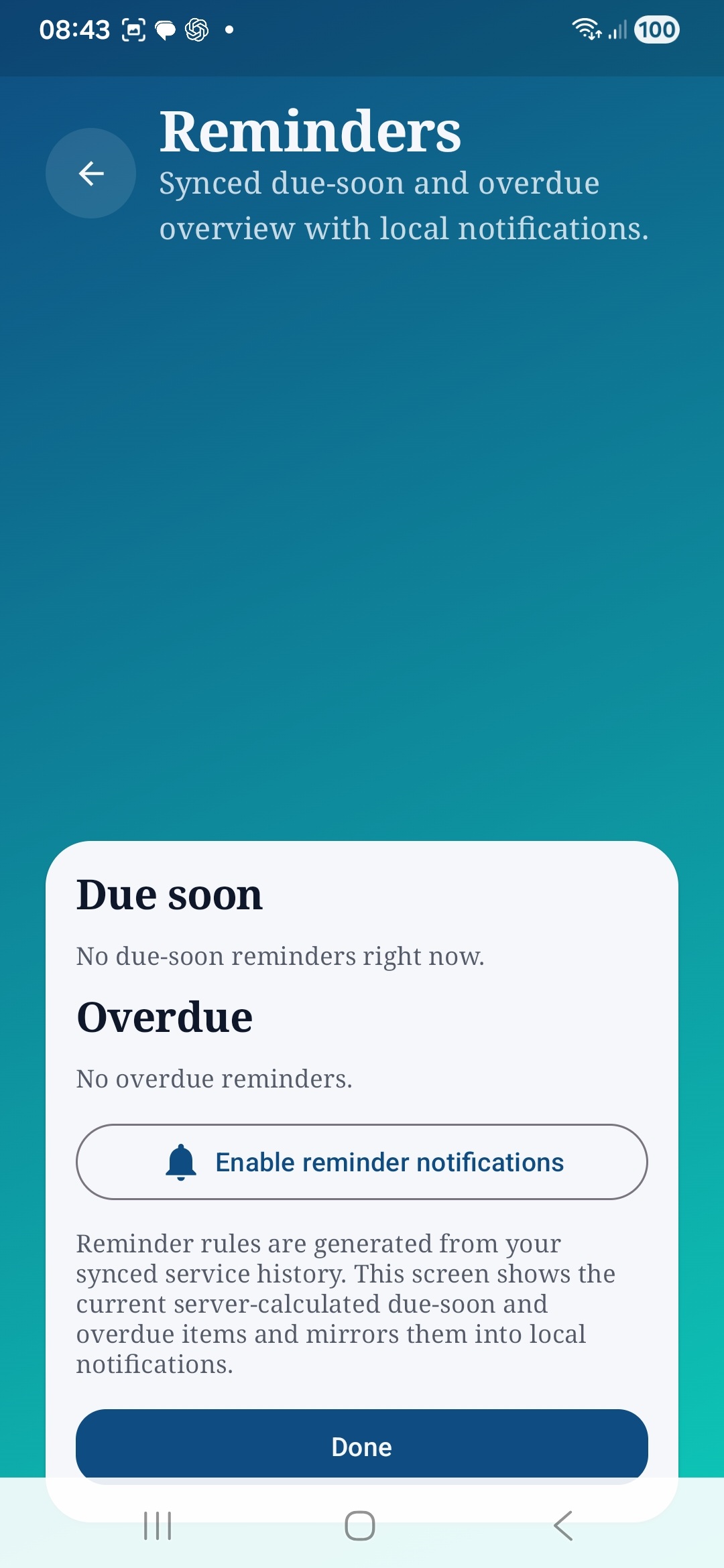
Auto Care AI reminders screen showing due-soon and overdue sections with notification control.
Reminder status and local notification enablement are kept in one focused screen.
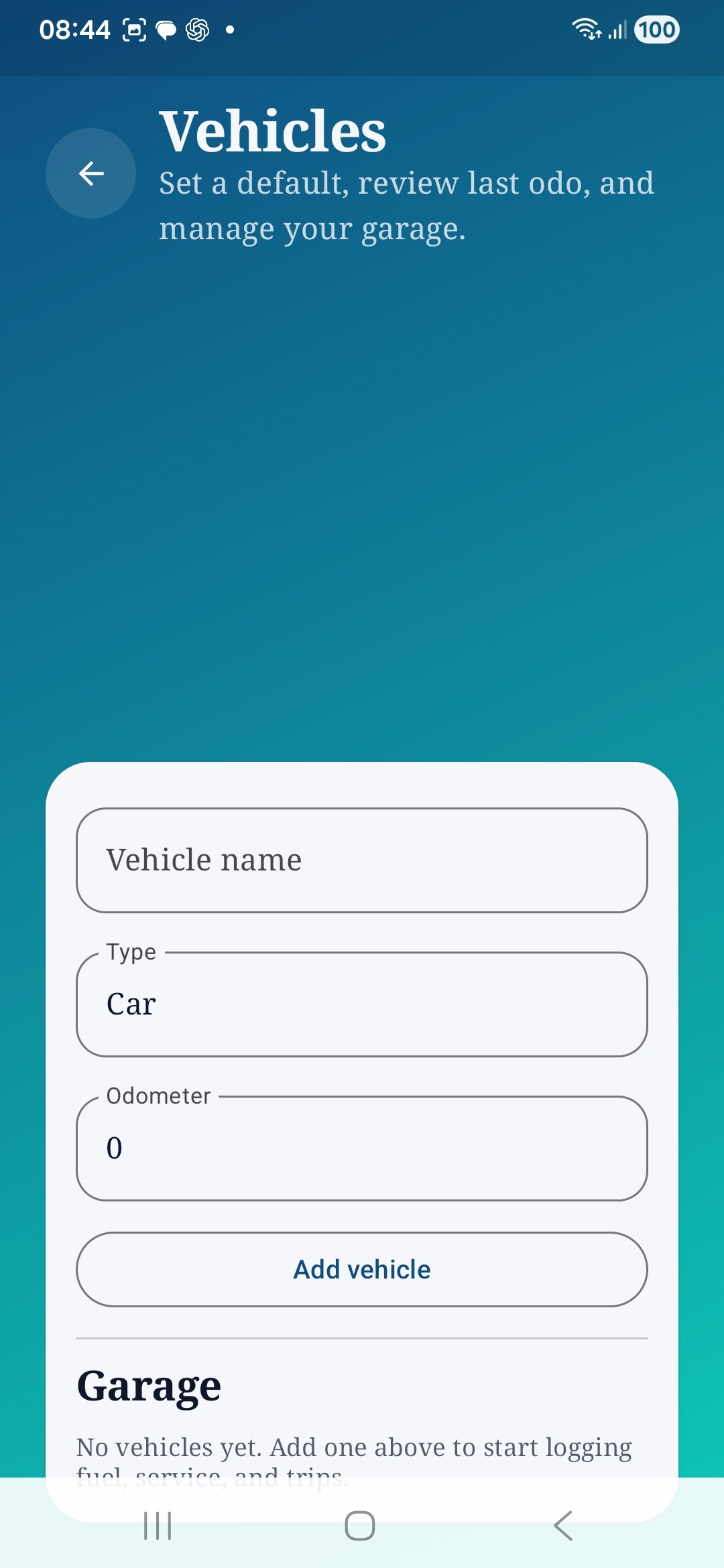
Auto Care AI vehicles screen for adding a vehicle and managing the garage.
The garage screen keeps per-vehicle setup and default selection straightforward.
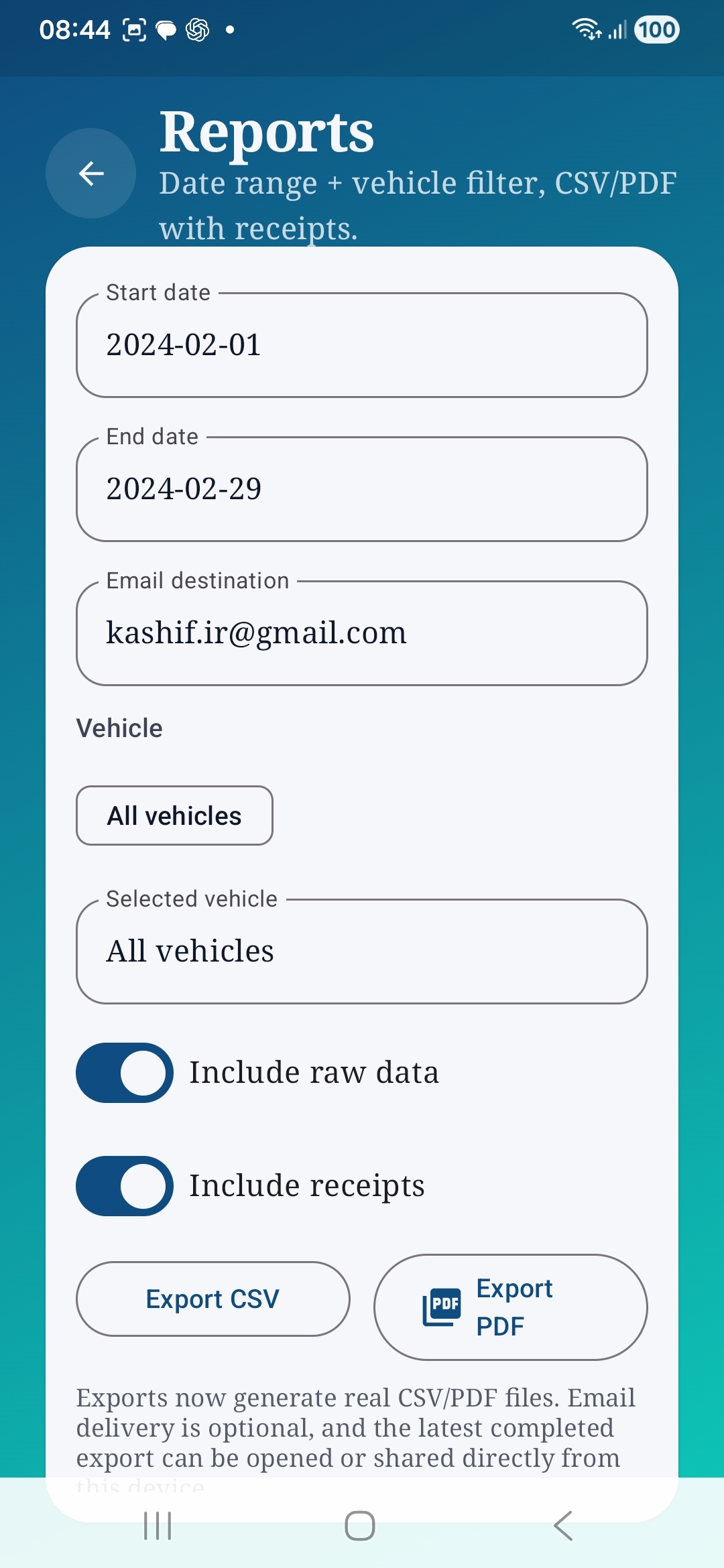
Auto Care AI reports screen with date range, email destination, vehicle filter, and CSV/PDF export actions.
Reports can be filtered by date and vehicle, then exported as CSV or PDF.
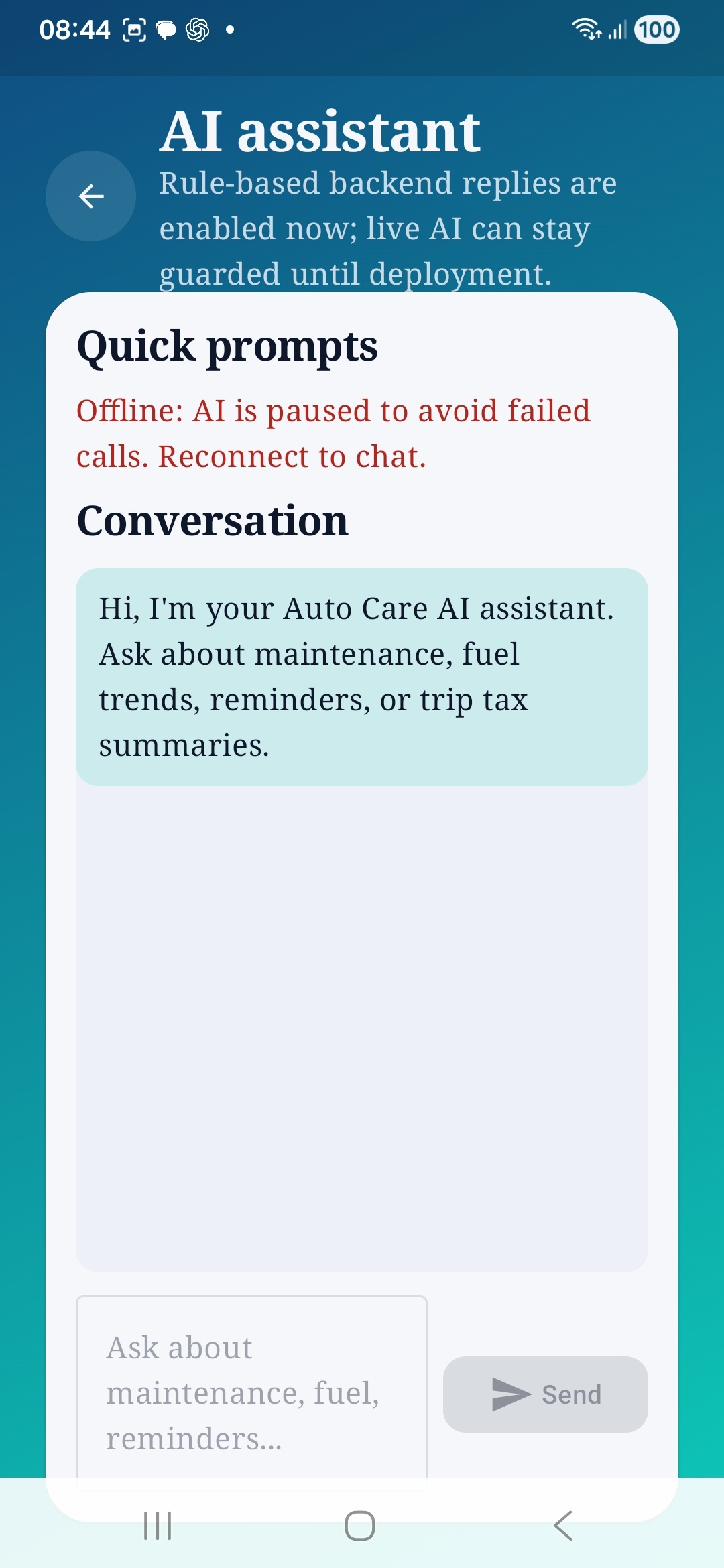
Auto Care AI AI assistant screen with quick prompts, offline notice, and conversation area.
AI assistant surfaces guarded prompts and an explicit offline state when chat is unavailable.
Auto Care AI settings page showing signed-in account details and synced preference controls.
Settings shows sign-out state and synced account preferences.
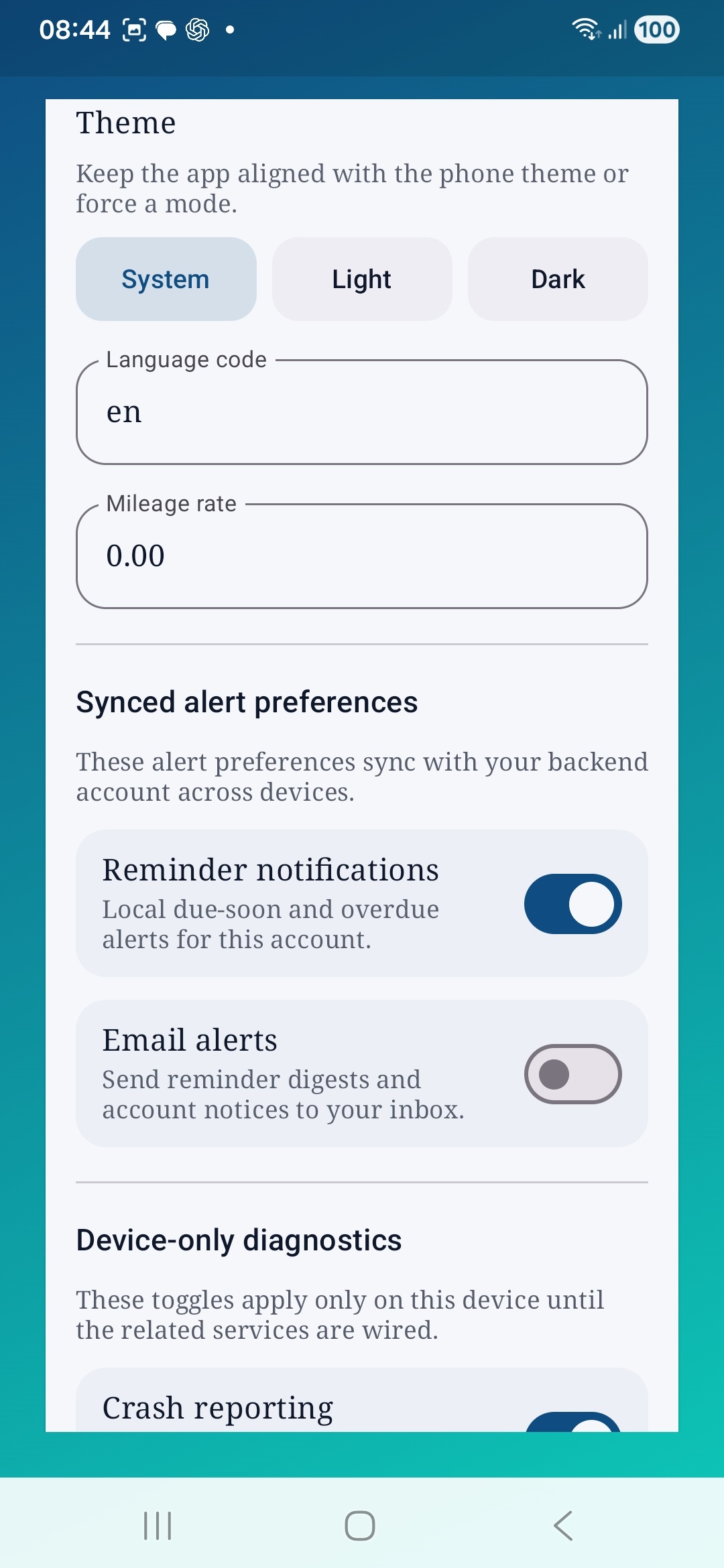
Auto Care AI settings page showing theme, language, mileage rate, reminder notifications, and email alerts.
Theme, language, mileage rate, and synced alert preferences are configurable from settings.
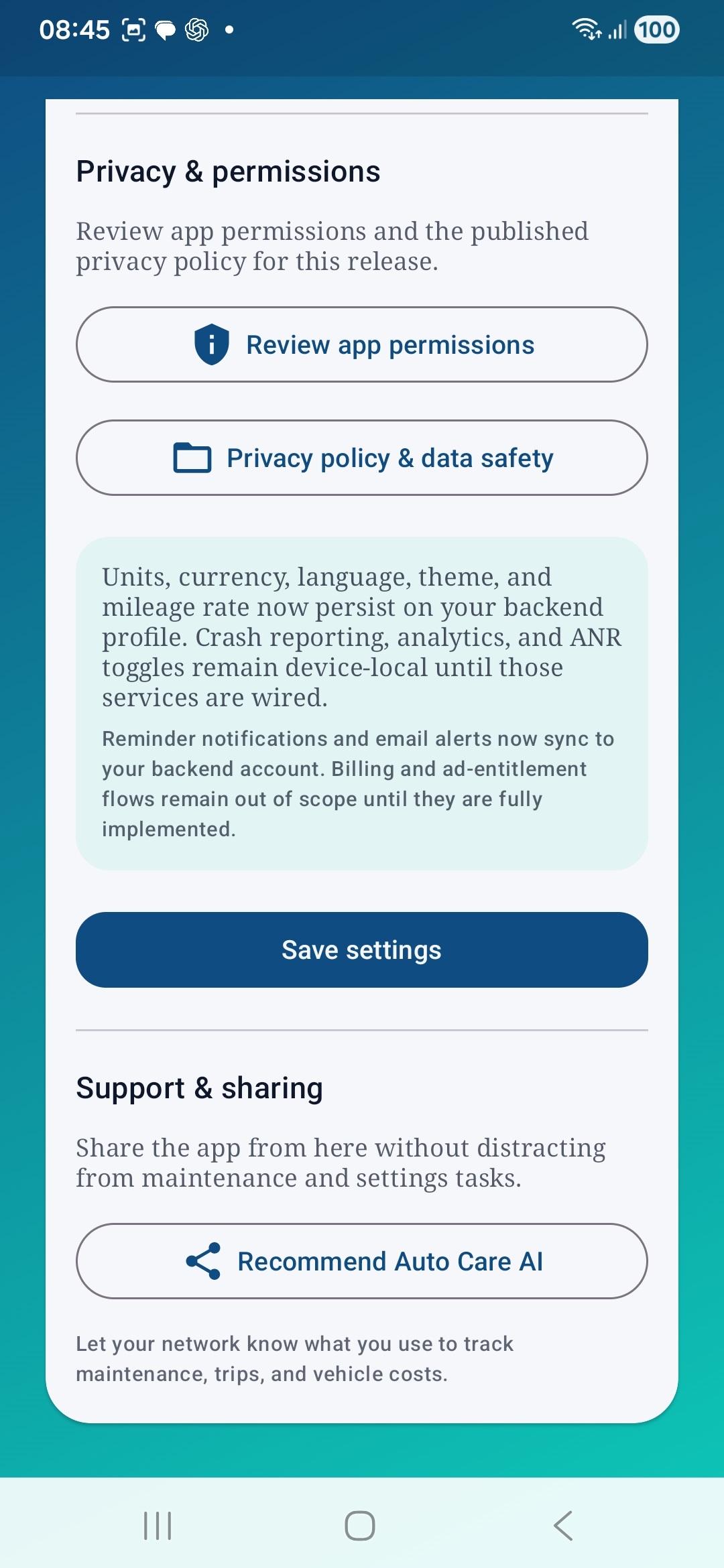
Auto Care AI settings page showing privacy and permissions actions and app sharing support controls.
Privacy, permissions, and sharing actions are surfaced near the bottom of settings.